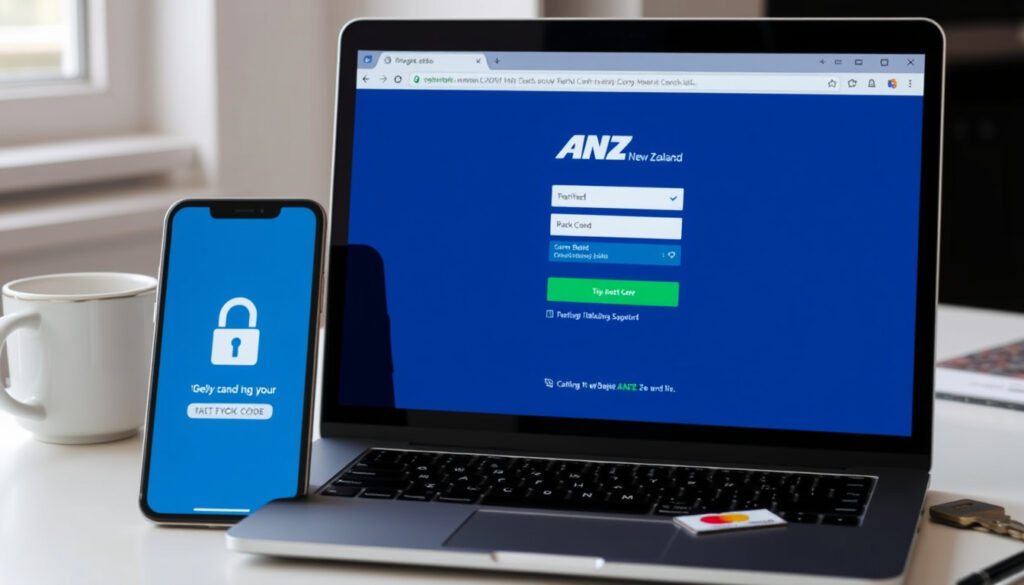
ANZ Bank Login NZ: How to Log In & Fix Common Issues
Few things are more frustrating than staring at a login screen that just won’t let you in — especially when you need to check a balance, pay a bill, or move money from overseas. ANZ New Zealand customers have four ways to access their accounts, but each method comes with its own quirks and potential headaches.
Official login portals: 3 (Internet Banking, ANZ Direct Online, ANZ goMoney app) ·
Automated phone banking available: Yes ·
ANZ Internet Banking URL: login.anz.com ·
ANZ goMoney app platforms: iOS and Android
Quick snapshot
- Access at login.anz.com with CRN and password (ANZ Internet Banking)
- Full account management, bill payments, transfers (ANZ Internet Banking)
- Auto-logoff after 15 minutes of inactivity (ANZ Internet Banking Help)
- Available on iOS and Android — download before travelling (ANZ goMoney)
- Biometric login and four‑digit password supported (ANZ goMoney)
- May not be downloadable from abroad; SMS registration may fail (Travelling and help overseas – ANZ)
- For business customers — uses client code, user ID and password
- Advanced features including batch payments and reporting
- Call 0800 269 296 — 24/7 automated service
- Balance checks, transaction history, and some transfers
- No internet required
These five points summarize ANZ New Zealand’s login landscape.
| Item | Detail |
|---|---|
| Official website | www.anz.co.nz |
| Internet Banking portal | login.anz.com |
| Mobile app name | ANZ goMoney New Zealand |
| Supported countries | Worldwide (with internet access) |
| Customer service number | 0800 269 296 (NZ) |
| OnlineCode (two‑factor auth) | Required for certain transactions (ANZ OnlineCode) |
| Login session timeout | 15 minutes |
| Password requirements | 8-16 characters, case‑sensitive, no spaces |
Why can’t I log into my ANZ Bank account?
Common reasons for ANZ login failure
- Your Customer Registration Number (CRN) may be entered incorrectly — it’s usually a 6‑digit or 7‑digit number issued when you registered for Internet Banking.
- Your password must be 8-16 characters and is case‑sensitive. ANZ warns that any spaces cause a rejection (ANZ Internet Banking Help).
- Browser issues: ANZ recommends clearing your cache and cookies, or trying a different browser.
- App or browser out‑of‑date: Update the ANZ goMoney app or your browser to the latest version.
Most lockouts are caused by a mistyped CRN or an expired password. ANZ passwords expire every 90 days, so if yours has been working for months, a reset is often the fix.
Two other common triggers: using your browser’s back, forward, or refresh buttons during a session will automatically log you off, and attempting to open a second Internet Banking session in another tab does the same (ANZ Internet Banking Help).
Locked or suspended accounts
After a few failed login attempts, ANZ may lock your access as a security measure. In that case you won’t be able to log in until you contact ANZ support or use the “Forgot CRN/Password” flow. ANZ’s customer protection team may also place a temporary lock if they detect unusual activity (Travelling and help overseas – ANZ).
The pattern is clear: most lockouts are self-inflicted through incorrect credentials or browser behaviour, but occasional account freezes are triggered by ANZ’s fraud monitoring. Either way, contacting the bank directly is the fastest resolution.
Can I access ANZ online banking overseas?
Accessing ANZ Internet Banking from another country
Yes — ANZ Internet Banking works from anywhere with an internet connection. You use the same portal with your existing CRN and password. However, there are catches.
- You must register for overseas access before leaving NZ — ANZ advises checking you can log in to both the app and Internet Banking while still in the country (Travelling and help overseas – ANZ).
- Two‑factor authentication (OnlineCode) may require a New Zealand mobile number to receive SMS codes. If you don’t have one, you’ll need to call ANZ for help (ANZ OnlineCode).
- Some countries block banking websites. ANZ recommends contacting the bank if you can’t reach the login page.
If your account shows unusual login locations, ANZ’s Customer Protection Team may call your registered mobile to verify activity. If you can’t receive calls overseas, call them on 0800 269 296 (NZ) to pre‑arrange a verification method.
Using ANZ goMoney abroad
The ANZ goMoney app works overseas, but with important limits. You should download the app in New Zealand before you travel — ANZ notes you may not be able to download it from foreign app stores (ANZ goMoney). SMS messages for registration or password resets may also fail if you’re roaming. Biometric login (fingerprint or face ID) is supported on eligible devices.
International transaction fees and limits
ANZ does not charge an extra fee for simply logging in overseas, but foreign currency transactions and ATM withdrawals incur standard international fees. You can manage foreign currency accounts online. Always check your daily transfer limits in Internet Banking before you travel.
The takeaway: plan ahead. Set up everything while you’re still in New Zealand, and carry the bank’s international support number.
How do I log into my ANZ account?
Logging into ANZ Internet Banking
- Go to login.anz.com.
- Enter your CRN (6‑7 digits) and password (8‑16 characters, case‑sensitive).
- If it’s your first login, you’ll be prompted to register for OnlineCode — have your mobile phone handy (ANZ Internet Banking).
- After successful login, you can view accounts, pay bills, transfer money, and manage cards.
Using ANZ goMoney mobile app
Download “ANZ goMoney New Zealand” from the Apple App Store or Google Play Store (while in NZ). Open the app and log in with your Internet Banking CRN and password. You can then set up a four‑digit app password or biometric unlock. The app supports balance checks, bill payments, and card management. Voice ID is also available for certain actions (ANZ goMoney).
Logging into ANZ Direct Online (business)
Business customers use a separate portal. You’ll need your client code, user ID, and password. Features include batch payments, payroll, and detailed reporting. Contact ANZ Direct Online support for setup.
Using automated phone banking
Call 0800 269 296 — follow the voice prompts. You’ll need your CRN and phone banking PIN. Available 24/7 for balance inquiries, recent transactions, and some transfer services.
Each method has its use case. Internet Banking is best for full management, goMoney for on‑the‑go quick tasks, Direct Online for businesses, and phone banking when you have no data connection.
Can I log into my bank account online?
Requirements for online banking
- A valid ANZ New Zealand account.
- Completed Internet Banking registration (three‑step flow: register online, call to verify, then log in and set up OnlineCode).
- An internet‑connected device — desktop, tablet, or smartphone.
- JavaScript and cookies enabled in your browser.
Devices that support ANZ online banking
ANZ Internet Banking works on all major browsers (Chrome, Firefox, Safari, Edge) on Windows, macOS, Android, and iOS. The goMoney app is available for iPhone (iOS 14+) and Android (version 6+). Tablet browsers are also supported.
Security considerations
- Always type the website address directly — never click links in emails or texts.
- ANZ will never send you a login link (ANZ Protect yourself against scams and fraud).
- Use a secure internet connection (avoid public Wi‑Fi for banking).
- Enable two‑factor authentication (OnlineCode) for extra protection.
The implication: if you meet these requirements and have registered, you can log in from almost any device. The biggest risk is weak security habits — treat your login credentials like a physical key.
Why can’t I access ANZ Internet Banking?
Service outages and maintenance
ANZ sometimes performs scheduled maintenance overnight. Check the ANZ New Zealand service page for planned downtime (ANZ New Zealand). Most outages are resolved within a few hours.
Expired or disabled credentials
As noted, passwords expire every 90 days. If you haven’t changed yours recently, you’ll be prompted to reset. If your account is locked due to multiple failed attempts, you’ll need to call ANZ support or use the online recovery options.
Browser or firewall blocks
Enterprise networks or VPNs may block banking sites. Try a personal hotspot or a different network. Also ensure JavaScript and cookies are enabled.
Geographical restrictions
While ANZ Internet Banking is available globally, some countries restrict access. If you’re in a country that blocks banking sites, contact ANZ support for alternatives — they may be able to provide a dedicated access method.
What this means: most access issues are temporary and fixable. The first step is always checking ANZ’s own status and trying a different browser or network.
What we know and what’s unclear
Confirmed facts
- ANZ provides Internet Banking, goMoney, and Phone Banking
- Login requires a Customer Registration Number
- Overseas access is available with internet
What’s unclear
- OnlineCode is used for two-factor authentication, but exact overseas requirements depend on mobile network coverage
- ANZ never sends login links via email or text, but some users report phishing attempts
- Session times out after 15 minutes of inactivity, though this can vary by bank policy update
- Specific browser compatibility list for Internet Banking — ANZ only says “a different browser”
- Whether a VPN is allowed — ANZ does not explicitly prohibit it, but warns against it in some contexts
- Exact steps for retrieving a forgotten CRN without calling support
We have lots of ways for you to manage your money anytime, anywhere, with the ANZ goMoney mobile app, Internet Banking and Automated Phone Banking.
— ANZ New Zealand official website (ANZ Ways to Bank)
ANZ will never send a link to online banking in an email or text message. Always type the website address directly.
— ANZ Fraud Protection team (ANZ Fraud Protection)
For ANZ New Zealand customers planning to bank from overseas, the choice is clear: set up Internet Banking and the goMoney app before you leave, keep your CRN and password handy, and memorise the Customer Protection Team number. One forgotten password or a missing SMS code can lock you out for hours. A five‑minute preparation session today saves a support call from a foreign airport tomorrow.
Frequently asked questions
What is my ANZ Customer Registration Number?
Your CRN is a 6‑ to 7‑digit number issued when you register for ANZ Internet Banking. You can find it on paper statements or in any previous confirmation email from ANZ. If you’ve lost it, call 0800 269 296 to retrieve it.
How do I reset my ANZ Internet Banking password?
On the login page at login.anz.com, click “Forgot password?” You’ll need your CRN and access to your registered mobile phone for an OnlineCode. Passwords must be 8–16 characters, case‑sensitive, with no spaces (ANZ Internet Banking Help).
Is ANZ goMoney free to use?
The app is free to download and use. Standard data charges apply if you’re not on Wi‑Fi. International roaming charges may apply overseas.
Can I use ANZ Internet Banking on a tablet?
Yes, the Internet Banking portal works on tablet browsers (iPad, Android tablets). The goMoney app is also available for iPad.
What should I do if my ANZ account is locked?
Call ANZ support at 0800 269 296 (NZ) or the international number +64 4 470 3142. The Customer Protection Team can unlock your account after verifying your identity (Travelling and help overseas – ANZ).
How do I contact ANZ support for login issues?
Phone: 0800 269 296 (NZ) or +64 4 470 3142 (overseas). You can also visit an ANZ branch in New Zealand. For goMoney issues, use the in‑app help.
Does ANZ charge fees for overseas online banking?
Logging in itself is free. Any foreign currency transactions or international transfers may incur fees. Check your account’s terms and conditions for exact rates.
Why can’t I download the ANZ goMoney app from overseas?
App Store availability depends on your region. ANZ recommends downloading the app while still in New Zealand (Travelling and help overseas – ANZ). You can still use the app if it’s already installed.
More related posts
 What Is RCS Message? Complete Guide to RCS Features
 1/2 Cup Butter to Grams: Accurate Conversion Guide
 North Island New World Mailer: Weekly Specials & Store Guide
 Off Licence Opening Hours Ireland: When Can You Buy Alcohol
 ANZ goMoney App: Setup, Overseas Use, and Safety Tips
 South Island Winter Cold Snap Snow: Forecast, Impacts & Safety
 I Thought I Saw Your Face Today Lyrics – Full Text & Meaning
 What Happened to Amanda Bynes? A Verified Timeline of Her Life
